LDAP Sync
Overview
LDAP Sync has two parts:
- User Sync
- Space Sync
User Sync
User sync helps Synapse synchronizes its user state with LDAP.
- If an LDAP user is removed or deactivated, the corresponding user is locked in Synapse.
- If an LDAP user is added or reactivated, the corresponding user is unlocked/activated in Synapse.
User Sync runs as a background job at the configured sync interval.
Space Sync
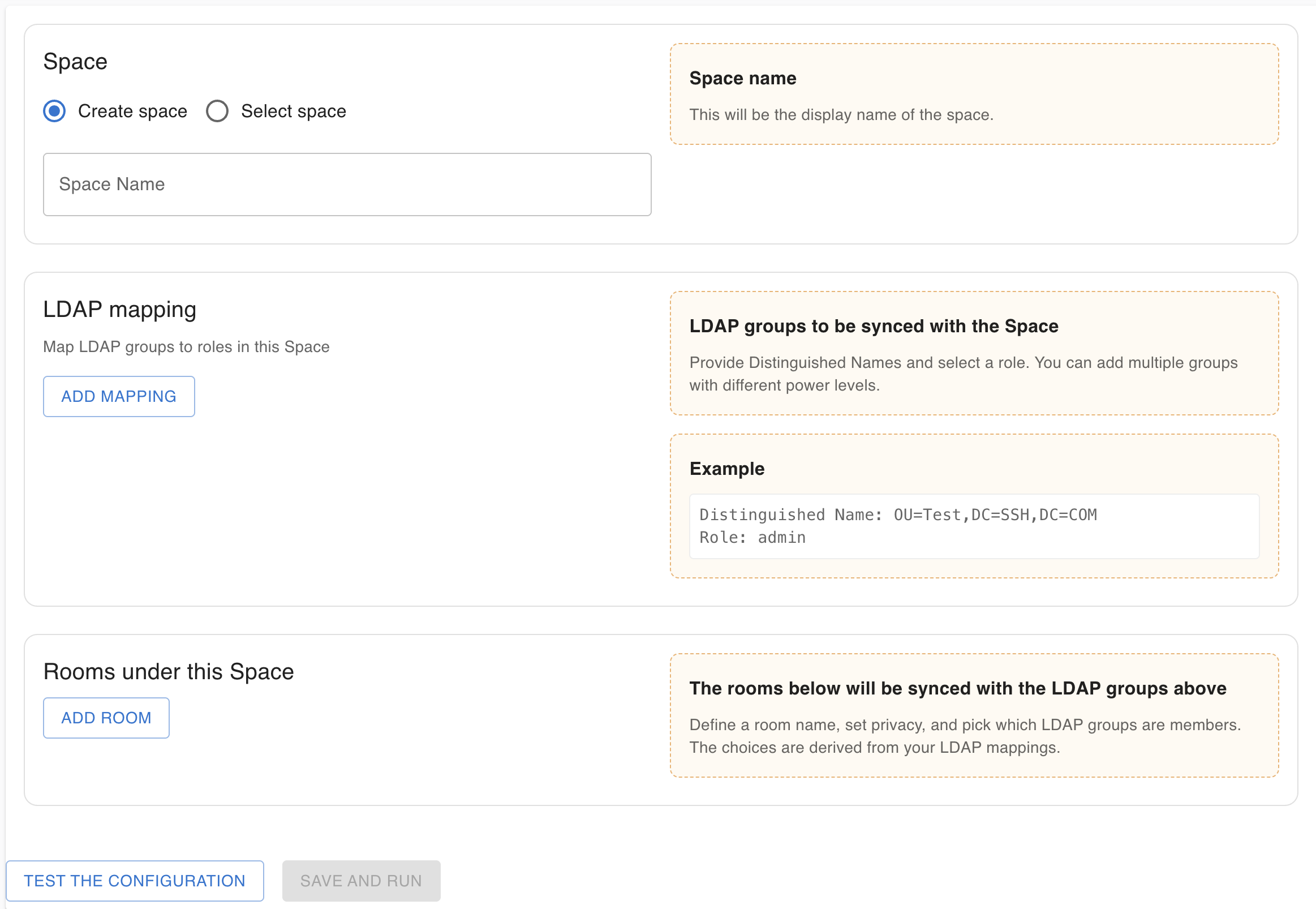
The Admin Portal allows administrators to add, edit, and delete Space Mappings.
A Space Mapping defines:
- A Space that Synapse creates and manages, including its users and rooms.
- The rooms that belong to (and are managed within) that Space.
- The LDAP CN groups mapped into the Space as either users or moderators.
- Role resolution when a user is in multiple mapped CNs: if a user receives multiple roles, Synapse assigns the highest role.
- Room-level scoping: rooms are restricted to a subset of the Space’s LDAP CNs (i.e., only users in those CNs are included in that room).
Space Sync runs as a background job at the configured sync interval.
Below is a screenshot of the Space Mapping creation UI in the Admin Portal: